Moderation and auto-publish
Every review lands on the Reviews page. Only published reviews appear on your store. You can publish each one yourself, or let Sofcy publish the ones that pass your rules.
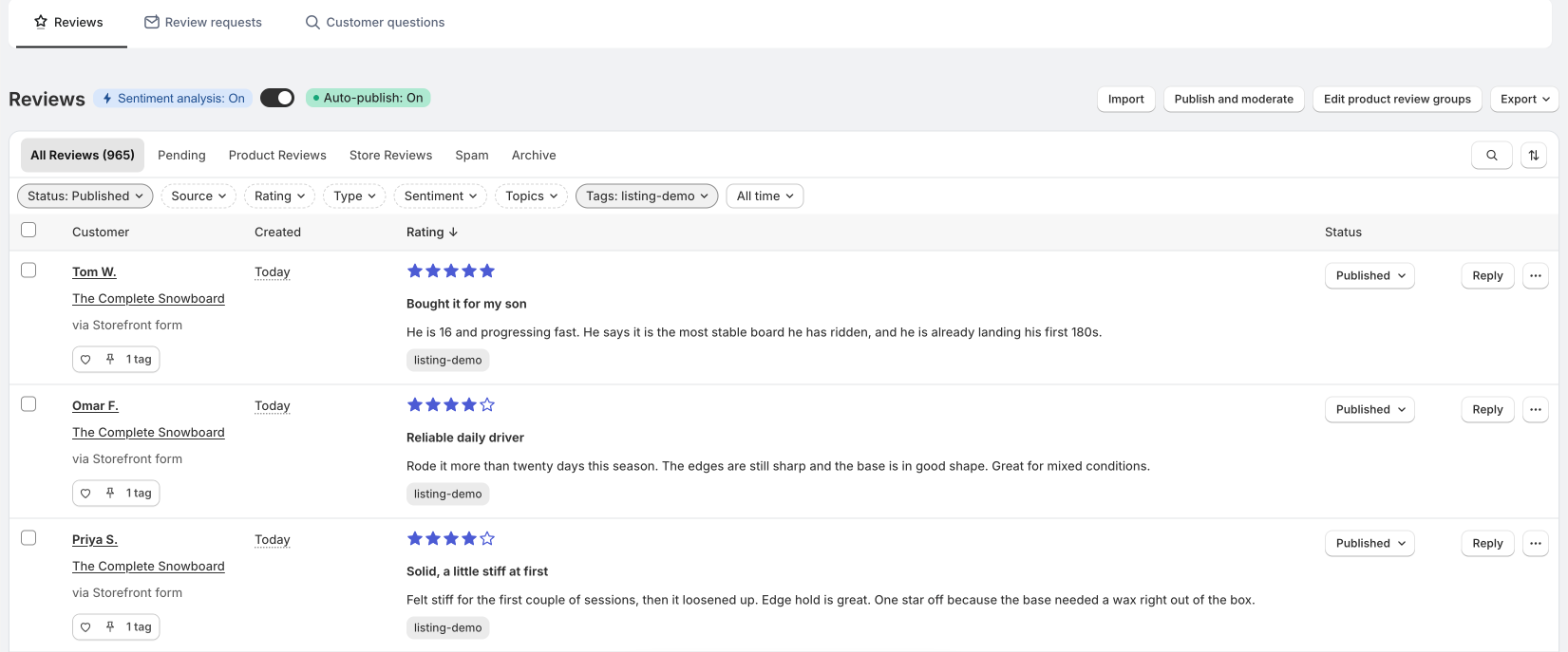
Statuses
| Status | Meaning |
|---|---|
| Pending | Waiting for you. Not on your store. The Status filter calls it To Curate. |
| Published | Live in your widgets. |
| Hidden | Taken off your store, with a reason. Still listed under All Reviews. |
| Archived | Off your store and moved to the Archive view. |
| Spam | Off your store and moved to the Spam view. |
Pending reviews publish themselves after 14 days. Any review still pending 14 days after it was submitted is published automatically, including reviews held by the filters. Hide or archive the ones you do not want before then.
Publish or hide a review
- Click the status button on the review's row.
- Choose Publish, or pick a reason under Choose a reason to hide review: Fake, Duplicated review, Spam, Unrelated to the product, Legal reasons, Inappropriate language, Foreign language, Contains private information, or False or misleading.
- Or choose Mark as spam.
The reason is saved in the review's history for you. Customers never see it. Any status can be changed to any other later.
Auto-publish
Off by default, so every new review waits for you. To turn it on, use the Auto-publish switch at the top of the Reviews page, or go to Settings › Publishing and moderation and open Auto-publish criteria.
| Setting | What it does |
|---|---|
Auto-publish new reviews | Publish new reviews from your storefront and from request emails as soon as they arrive. |
Auto-publish reviews with | All reviews, 2 stars and above, 3 stars and above, 4 stars and above, or 5-star reviews only. Reviews below your choice stay pending for you to check. |
Even with auto-publish on, a review stays pending if it trips one of your spam, personal information or profanity filters. Reviews added through the private API always arrive pending. Imported reviews keep the status from your file.
Finding reviews
- Views: All Reviews, Pending, Product Reviews, Store Reviews, Spam and Archive.
- Search finds words in the title or text, the reviewer's name or the product.
- Filters: Status, Source, Rating, Type (rating only, with or without replies, with media, verified or not), Sentiment, Topics, Tags, and date.
- Sort by date created or rating, either way.
Sentiment is worked out from the star rating only: 4 and 5 stars are positive, 3 is neutral, 1 and 2 are negative. Turn it on with the Sentiment analysis switch at the top of the page.
Bulk actions
Tick reviews to get Publish reviews, Hide reviews, Export reviews, Tag reviews, Delete reviews and Mark as spam.
To act on more than one page, tick every row on the page, then click Select all N reviews in this view. Sofcy applies the action to every review matching your current view and filters, up to 2,000 at a time. If the view changed in the meantime, it asks you to select again.
Getting told about new reviews
Sofcy can email you when a review needs moderation, or when a negative review comes in. See Admin notifications.